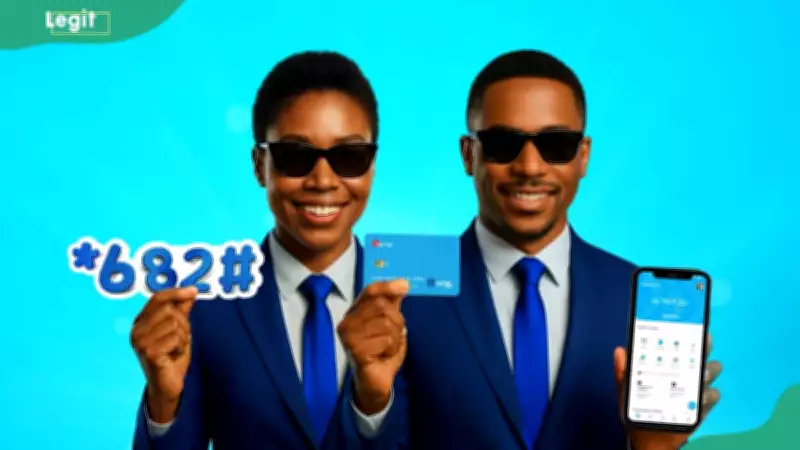
Nova Bank customers can open an account and transfer money using the USSD code *682#. This service works on any mobile phone without an internet connection, allowing users to register, check balances, and send funds instantly.
Key Takeaways
- Nova Bank customers can open an account and transfer money easily using the official USSD code *682#.
- The service works without data and does not require branch visits.
- You can register using your BVN or NIN and get an account number instantly.
- The service supports everyday banking like balance checks, airtime purchase, and mini statements.
How to Open an Account with Nova Bank's USSD Code
Opening a Nova Bank account via USSD is quick and simple. You only need the phone number linked to your BVN or NIN to complete the registration process.
- Dial *682# on the mobile number.
- Select 1 (Proceed) to accept the USSD banking terms and continue.
- Choose 2 (New to NOVA) to begin the account registration process.
- Select 1 (Proceed) again to accept the privacy policy.
- Choose whether to register with your Bank Verification Number (BVN) or National Identification Number (NIN).
- Enter your BVN or NIN when prompted.
- Confirm that your details are correct before submitting the request.
After successful registration, Nova Bank will instantly send your new account number via SMS.
How to Transfer Money with Nova Bank's USSD Code
To transfer money with Nova Bank, dial *682*1*Amount*AccountNumber# directly from your registered mobile number. For a standard transfer without a direct code, follow these steps:
- Dial *682# using the phone number registered with your Nova Bank account.
- Select the 'Send Money' or 'Transfer' option from the main menu.
- Choose the destination bank type (to another Nova Bank account or a different commercial bank).
- Enter the recipient's account number carefully.
- Enter the transfer amount you wish to send.
- Input your secure transaction PIN to authenticate and authorise the immediate transfer of funds.
How to Activate Nova Bank USSD Banking
Before using Nova Bank's USSD banking services, you need to activate the service on your phone. The activation process is simple and only takes a few minutes.
- Dial *682# on the phone number linked to your Nova Bank account.
- Reply with 1 (Proceed) to continue with the activation process.
- Select 1 (Have an Account) if you already have a Nova Bank account.
- Reply with 1 (Register without card) to continue the registration.
- Enter your digital channel transaction PIN when prompted.
- Create a secure 4-digit USSD transaction PIN for future transactions.
Once activation is complete, dial *682# anytime to access Nova Bank USSD banking services.
Benefits of Using Nova Bank USSD
- No internet needed: Nova Bank USSD (*682#) works without internet, so you can use it even on basic phones with no data connection.
- 24/7 availability: Access your account and carry out transactions anytime, including nights, weekends, and public holidays.
- High speed: Transactions are processed almost instantly, usually within a few seconds.
- No app downloads: No need to install any mobile app, saving phone storage and battery life.
- Simple navigation: The USSD menu is easy to use, convenient for both tech-savvy and non-technical users.
- Strong security: Every transaction is protected with a secure PIN to keep your account safe.
Nova Bank Customer Service Number
You can reach Nova Bank Nigeria customer care through the following official channels:
- Phone numbers: +234 913 666 6680 or 02 01 280 4000
- Email: customerservice@novabank.ng
- Facebook: @novabankng
- Instagram: @novabankng
- Twitter: @novabankng
Frequently Asked Questions
Is Nova Bank a commercial bank?
Yes, Nova Bank is a licensed commercial bank in Nigeria, operating under Central Bank of Nigeria (CBN) regulations.
Is Nova Bank a real bank?
Yes, Nova Bank is a real and licensed bank in Nigeria.
What do I do if I forget my password or need to unlock my account?
To reset your password or unlock your Nova Bank account, use the digital banking 'Forgot Password' or 'Unlock' feature. You will need your registered email, account number, or BVN for security verification.
What is the Nova Bank transfer code?
The Nova Bank transfer and mobile USSD code is *682#. It allows you to send money, buy airtime, and carry out basic banking transactions without internet access.
What is the Nova Bank transfer limit?
Nova Bank transaction and transfer limits vary depending on your account tier, the banking channel used, and central banking regulations. The daily transfer limit is ₦50,000 for Tier 1 accounts, but fully upgraded Tier 3 accounts can send between ₦1,000,000 and ₦5,000,000 daily via the mobile app. New app activations or device switches are temporarily restricted to a ₦20,000 limit for the first 24 hours due to safety regulations.
Opening a Nova Bank account and transferring money can be done instantly without visiting a branch by using the USSD code *682#. This service allows users to bank without needing internet data. It is available 24/7 nationwide on any mobile phone.
Disclaimer: This article is for informational purposes only and does not constitute professional advice. Any action you take based on this information is at your own risk.