A Complete Guide to Changing Your Airtel Wi-Fi Password in Nigeria
As an Airtel Smart Connect user in Nigeria, knowing how to change your Wi-Fi password is crucial for maintaining a secure and reliable internet connection. This process can be accomplished through the default IP address, typically 192.168.1.1, or by using Airtel's mobile applications like the Airtel Thanks App and My Airtel App. Regularly updating your password helps protect your network from unauthorized access and potential hacking threats.
How to Change Your Wi-Fi Password on Airtel in Nigeria
To change your Wi-Fi password on Airtel in Nigeria, start by connecting your device to the router. Open a web browser and enter the default IP address 192.168.1.1 into the address bar. If this does not work, try alternative addresses such as 192.168.0.1 or 192.168.2.1. For new users, the standard login credentials are often 'admin' for both username and password, which can also be found on a label at the back of the router. Once logged in, navigate to the security settings to update your password, ensuring it is strong with at least eight characters, including uppercase letters, numbers, and special symbols.
Changing Wi-Fi Password via Phone or Laptop
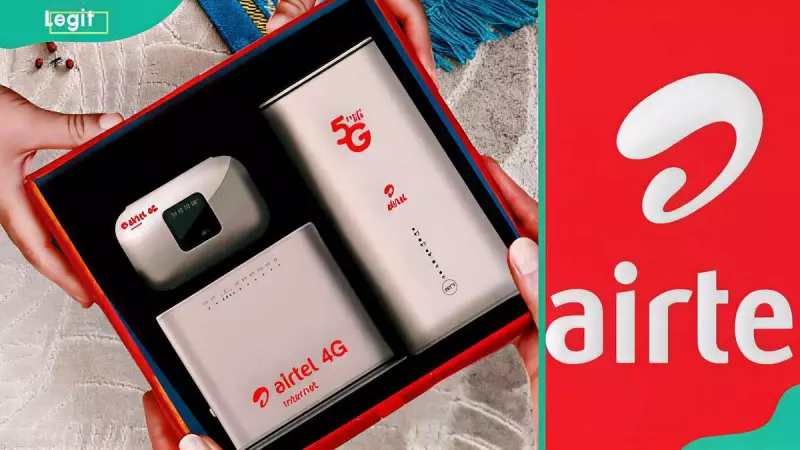
Airtel offers unlimited data plans through devices like the 4G Pocket Wi-Fi, 4G Smart Connect, and 5G Smart Connect routers. For Airtel Xstream Fibre and Airtel 4G Router users, follow these steps: access the router's configuration page via a web browser, enter the IP address, and log in with default credentials. Depending on your router model—such as Airtel Nokia ONT, Huawei ONT, ZeroTouch ONT, or Tenda ADSL Router—locate the specific field (e.g., 'WPA Key' or 'Wireless Key') to input a new password, then save the changes.
Using the Airtel App for Password Management
The Airtel Thanks app provides a convenient way to manage your Wi-Fi settings. After logging in, tap the 'Manage' icon and select 'My Wi-Fi' from the dashboard. The app will fetch your router details, leading you to the 'My Wi-Fi' dashboard. Tap on 'Airtel_mywifi' and choose 'manage Wi-Fi ID & password' to enter a new secure password, then save to update. This method simplifies the process for users who prefer mobile management.
Airtel Router Subscription Costs in Nigeria
Subscribing to an Airtel router in Nigeria involves visiting an Airtel store, dialing 300 from an Airtel line, or calling +234 802 1500 300. Subscription prices vary based on the plan: monthly 4G data bundles range from ₦5,000 to ₦20,000, while 5G unlimited monthly plans cost between ₦25,000 and ₦45,000. For mobile options, pocket Wi-Fi router bundles can reach up to ₦100,000 for 650GB bonus data annually. Device costs include ₦25,000 for a 4G wireless router, ₦50,000 for a 5G wireless router, ₦12,500 for 4G Pocket Wi-Fi, and ₦25,000 for an Airtel Smart Router.
Monitoring and Securing Your Airtel Wi-Fi Network
To check how many devices are connected to your Airtel Wi-Fi, access the router's configuration page via 192.168.1.1, navigate to 'System Status' and 'DHCP Information', then tap 'Device List' to view connected devices. To stop unauthorized usage, change your password and Wi-Fi name (SSID) through the router page or app. For more control, use MAC filtering by logging into the router, going to 'Firewall' and 'Filtering Rules', adding the MAC addresses of unwanted devices to block them. Additionally, check your data balance by dialing *323# or *121# from the linked phone number or using the My Airtel App.
Mastering these steps ensures your Airtel Wi-Fi network remains secure and efficient, protecting your data and enhancing your internet experience in Nigeria.