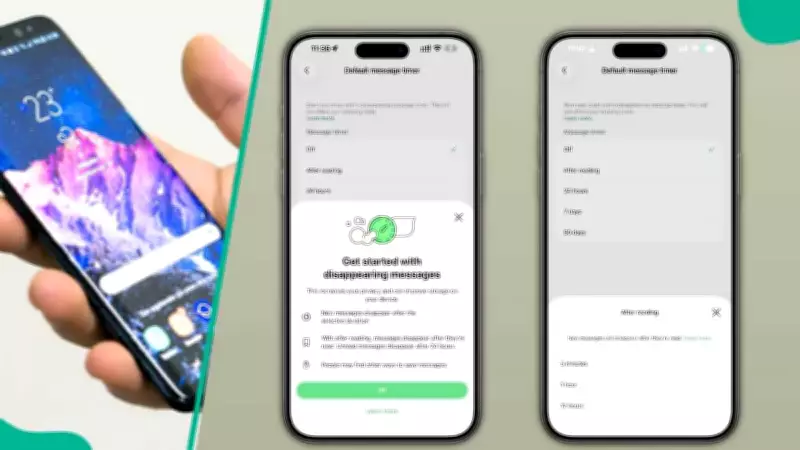
WhatsApp has unveiled a new feature that allows messages to self-delete after they have been read, significantly enhancing user privacy. This feature, currently being tested by beta users on both iOS and Android, gives individuals greater control over the lifespan of their conversations. The update is part of a broader set of enhancements that include new chat themes, redesigned chat bubbles, automatic group greeting messages, improved channel management, and stronger privacy options through Meta AI.
Messages That Disappear After Reading
Traditionally, disappearing messages on WhatsApp vanish after a preset period, such as 24 hours, seven days, or 90 days. However, the new "After Reading" timer changes this dynamic. Users can now select for messages to disappear only after the recipient has opened and read them. The countdown begins once the message is seen, not immediately after it is sent, according to a report by WABetaInfo. Available timer options include five minutes, one hour, and 12 hours after reading. Once the selected time expires, WhatsApp automatically removes the message from the chat. If the recipient never opens the message, WhatsApp deletes it after 24 hours, ensuring content does not remain indefinitely. This feature adds stronger privacy protection for sensitive conversations, especially when users want temporary communication without leaving a lasting digital trail.
New Chat Themes for WhatsApp Web
WhatsApp is also improving the visual experience of chats by developing new themes for its web version. Initially, the platform planned to introduce 49 chat themes, but it has now reduced the number to 39, focusing more on quality and design improvements rather than quantity. Eight of these themes will include unique wallpapers that differ from the standard default background, giving conversations a more colorful and vibrant appearance. This update aims to make the desktop chatting experience feel more personalized and visually engaging.
WhatsApp Business Gets a Fresh Look
For users of WhatsApp Business, the iOS beta version now includes a redesigned app icon. The refreshed icon follows the same modern design style recently introduced for the main WhatsApp Messenger app. While currently limited to beta testers using TestFlight, the feature is expected to roll out publicly on the App Store soon.
Group Chats to Welcome New Members Automatically
Another upcoming feature will allow group administrators to set automatic greeting messages for new members. This optional tool will help newcomers understand the purpose of a group immediately after joining and create a more welcoming community environment. Admins will be able to configure these greetings from the group chat info section, making group communication more organized and engaging.
Meta Launches Incognito Chat for Private AI Conversations
Mark Zuckerberg also announced Incognito Chat for Meta AI, a new privacy-focused way to interact with artificial intelligence. According to Meta, conversations in Incognito Chat are not stored, and all messages are protected using Private Processing technology. The company says this makes Meta AI the first AI system designed to offer fully private conversations with stronger confidential computing protections verified by independent third parties.
Faster Reactions, Better Channels, Redesigned Chat Bubbles
WhatsApp is also testing three quick emoji reactions for status updates. These include Heart-Eyes, Tears of Joy, and Surprise Face, making it easier for users to respond instantly without typing a reply. Channel admins are also gaining the ability to reply directly to their own updates, helping improve communication clarity for followers. In addition, users will soon be able to manage and delete media files from followed channels by filtering content such as images, videos, and documents. This will help free up storage space more efficiently. On iOS, WhatsApp is redesigning chat bubbles with softer corners and a more modern appearance. Shared media will also appear without traditional bubble borders, creating a cleaner and more seamless chat layout.
A Bigger Push for Privacy and User Experience
These updates show WhatsApp's continued focus on balancing privacy, design, and convenience. From messages that disappear after reading to AI conversations with no saved history, the platform is clearly pushing toward more private digital communication while also making chats more interactive and visually appealing. For millions of users worldwide, the message is simple: read it, react to it, and it may be gone forever.
WhatsApp Ends Support for Older Android Phones
Legit.ng earlier reported that WhatsApp will stop working on older Android smartphones starting September 8, 2026, as the platform raises its minimum system requirements. The update means devices running anything older than Android 6.0 (Marshmallow) will no longer be supported. Users who remain on Android 5.0 or 5.1 will lose access to messaging, calls, and updates once the cutoff date arrives.