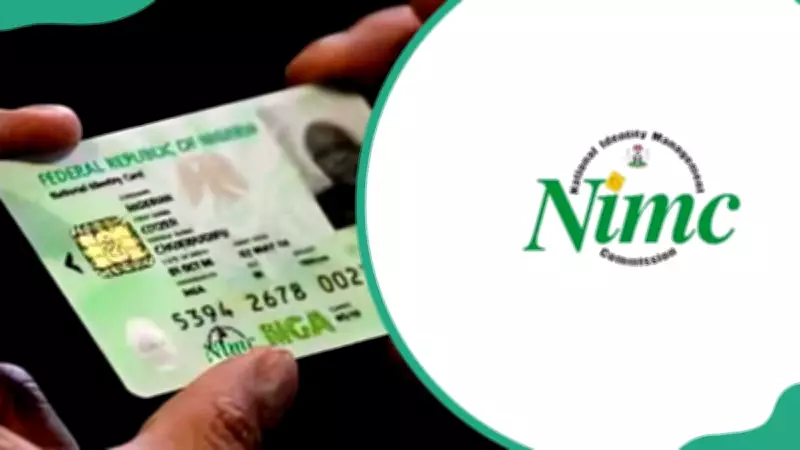
Registering for your National Identification Number (NIN) is essential for verifying your identity across platforms and services in Nigeria. The National Identity Management Commission (NIMC) allows you to start the process online for convenience. This guide on how to register for your NIN through the NIMC online portal offers a step-by-step approach to help you get started quickly.
Key Takeaways
- The National Identification Number (NIN) is a unique 11-digit number that uniquely identifies a citizen or legal resident in Nigeria.
- NIMC offers a total nationwide solution for your identity management needs, including NIN enrollment, updates, and verification services, among many other flexible options.
- NIN enrolment involves capturing your demographic data, fingerprints, digital signature, and head-to-shoulder facial picture.
- You can begin your free NIN registration online through the NIMC pre-enrolment portal before visiting the registration center.
How to Register for Your NIN through the NIMC Online Portal
The National Identity Management Commission (NIMC) has made it easier for Nigerians to register for their NIN online. This Federal Government agency is responsible for managing the National Identity Database. It registers citizens and legal residents and issues National Identification Numbers and ID cards.
The NIN helps identify individuals at any time. With the NIMC online portal, getting your ID card has become faster and more convenient. There are two ways to register—offline and online. Below is a step-by-step guide on how to get your NIN number online.
- Visit the NIMC pre-enrolment portal.
- Click on "Pre-Enrolment Portal" and complete the NIMC online registration form using your personal details. You can also do your NIN registration online with BVN for faster verification.
- After submitting the form, download and print your Pre-Enrolment Slip. This contains a 2D barcode and a tracking ID.
- Take your pre-enrolment slip and supporting documents (e.g., birth certificate, voter's card, passport, etc.) to a nearby NIMC registration center.
- At the center, NIMC officials will verify your documents and capture your fingerprints, facial photo, and signature.
- After successful biometric registration, you will be given a transaction slip.
- You can return later (usually in a few days or weeks) to collect your NIN slip containing your unique 11-digit number.
How Do You Open Your NIN Portal?
To open your NIN portal, visit the official NIMC portal. Log in using your userID and one-time password (OTP) obtained from the NIMC mobileID app. Once logged in, you can view and manage your NIN profile securely.
How to Check Your NIMC Details Online
You can check your NIN details online by visiting the official NIMC website or dialling *346# on your mobile phone. Alternatively, log in to the NIMC portal to access your information.
What Is the NIN Retrieval Portal?
The NIN retrieval portal is an online platform provided by Nigeria's National Identity Management Commission (NIMC) that allows Nigerian citizens to retrieve their National Identification Number (NIN) if they have already been enrolled.
How Do You Do Your NIN Registration Online?
Full NIN registration cannot be completed entirely online in Nigeria. However, you can begin the process online by pre-enrolling, and then visiting an approved NIMC enrollment center to complete the biometric capture (fingerprints, photo, signature).
How to Register for NIN Outside Nigeria
To register for NIN outside Nigeria, visit the official NIMC website and locate a licensed diaspora enrollment partner in your country. Book an appointment with the center, then visit with valid documents like a Nigerian passport or birth certificate. Your biometrics will be captured, and you will be issued your NIN after successful processing.
How Can You Get Your NIN Profile Online?
Download the NIMC MobileID app from your app store and enter your 11-digit NIN. Verify using the OTP sent to your registered phone number and set a 6-digit PIN. Log in to view my NIMC profile, virtual NIN, and other personal details securely through the app.
Securing your NIN is a vital step toward accessing various government and financial services in Nigeria. By following this guide on how to register for your NIN through the NIMC online portal, you can begin the process easily and avoid unnecessary delays. Ensure all details provided are accurate to complete your registration successfully.