
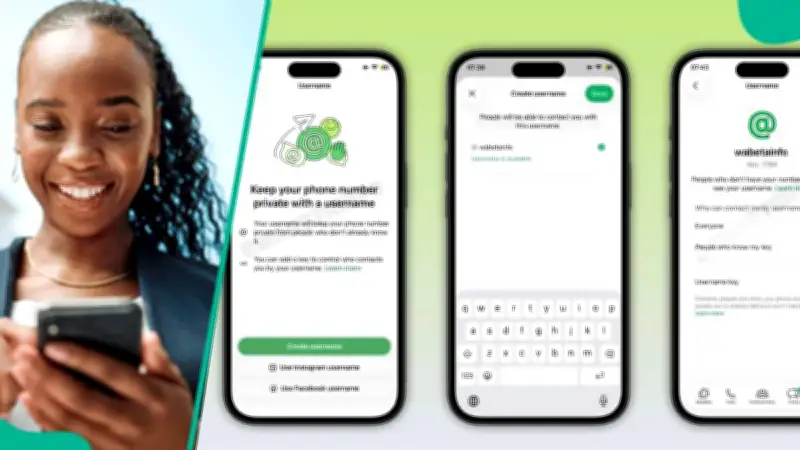
WhatsApp is gradually introducing a new feature that enables users to start conversations using a username instead of a phone number. This development allows individuals and businesses to connect without exchanging personal phone numbers, enhancing privacy and control over contact methods.
How the Username Feature Works
To reach someone via username, you must know their exact full username as they have set it. The search function will not return results for partial entries; only a precise match will surface a profile. Additionally, if the contact has activated a username key—a privacy option within the feature—you will need that key before WhatsApp allows you to open a chat with them. The feature is not yet globally available, but WhatsApp has confirmed that users can reserve their username ahead of a wider rollout.
Step-by-Step Guide to Contact Someone by Username
To begin, open WhatsApp and tap the icon used to start a new chat from within the Chats tab. From there, tap the search bar and type the full username of the person you want to reach. If the username exists on the platform, their profile will appear in the results. Tapping it opens the conversation directly. For contacts who have enabled a username key, WhatsApp will prompt you to enter it before proceeding. Tapping 'Next' after entering the key allows the chat to continue. Without it, starting a conversation through their username will not be possible, and you would need to obtain the key through a separate channel.
What Appears in the Chat
Once a conversation is opened via username, the contact's username will be displayed at the top of the chat window. If their phone number is not saved in your contacts, it will not be visible within the chat. WhatsApp also noted that users who already have a contact's phone number saved can still view that contact's username through the same interface. The username feature is designed to give users greater control over who can contact them and how, particularly for those who prefer not to share their phone numbers publicly. Businesses on the platform are also expected to benefit from the ability to offer a searchable, shareable identity that does not expose a direct phone line.
WhatsApp Ends Secret Online Status
In a related development, Legit.ng earlier reported that WhatsApp is taking a bold step toward making conversations more interactive and transparent with a new feature that makes it easier than ever to know when someone is online. The popular messaging app has begun rolling out a green dot indicator for Android beta users, a visual cue that instantly shows whether a contact is currently active on the platform. The feature, introduced in the WhatsApp beta for Android 2.26.24.5 update, is expected to change how users monitor their contacts' availability.