Complete Guide to Keystone Bank USSD Codes for 2026
Keystone Bank, a commercial bank established in Nigeria in 2011 and owned by the Sigma Golf River Bank Consortium, provides a comprehensive range of banking products and services. Understanding the essential Keystone Bank USSD codes is vital for customers to perform various transactions remotely without visiting a physical branch. These codes enable seamless banking activities directly from your mobile phone, offering convenience and efficiency.
What is the Keystone Bank USSD Code?
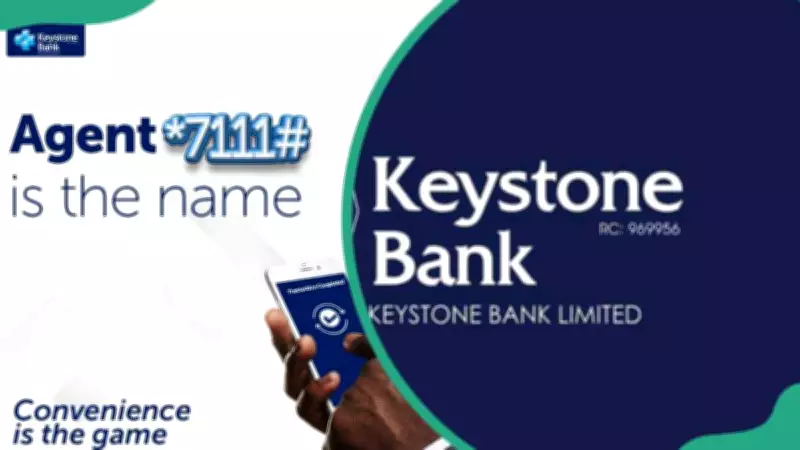
The primary Keystone Bank USSD code is *7111#. This code allows customers to execute numerous banking functions, such as checking account balances, transferring funds, purchasing airtime, and paying bills. It serves as a quick, secure, and user-friendly method for all Keystone Bank clients to manage their finances effortlessly.
Benefits and Registration Process
Using the Keystone Bank code is free and accessible on all mobile phone types, regardless of network. Key advantages include client convenience, roaming capabilities, independence from internet connections, 24/7 availability, and queue-free banking. To activate the service, follow these steps:
- Method 1: Dial *7111#, attempt a transaction like balance enquiry, select the register option, input your account number and year of birth, and create a transaction PIN.
- Method 2: Dial *7111*0#, choose the register option, enter your account number and year of birth, and set up your transaction PIN.
List of Essential Keystone Bank Codes
Below is a comprehensive table of useful Keystone Bank USSD codes for various transactions:
- Registration: *7111*0#
- Check Account Balance: *7111*00#
- Recharge Your Phone: *7111*Amount#
- Recharge for Others: *7111*Amount*Phone Number#
- Mobile Data: *7111*5#
- Send Money: *7111*Amount*NUBAN Account Number#
- Activate Debit Card: *7111*9*123#
- BVN Enquiry: *7111*6#
- Panic Code: *7111*911#
- Change Default Top-Up Account: *7111*Account Number#
How to Check Balance and Make Bill Payments
To check your account balance, dial *7111*00#, and you will promptly receive a message with your balance details. For bill payments, dial *7111#, select "Other services," then choose "Bills Payment" to proceed with payments for various billers.
Mobile Banking App and Internet Banking
Keystone Bank offers the KeyMobile app, available for download on Google Play and the App Store, enabling activities like payments and transfers. Additionally, internet banking is available for those who prefer online access. To log in, visit the official Keystone Bank website, click "Internet Banking," and sign in with your username and password after registration.
Troubleshooting and Customer Support
If the Keystone Bank code is not working, possible reasons include temporary service outages, incorrect code usage, account issues, or network problems. For assistance, contact customer support via email at contactcentre@keystonebankng.com, phone at +234 700 2000 3000/01-4485742/07046004000, or through social media platforms like Instagram, Twitter, and Facebook. You can also use live chat or visit branches nationwide.
Transfer Limits and Service Eligibility
The maximum daily transfer limit is N100,000 for combined intrabank and interbank transactions, with a daily airtime purchase limit of N10,000. The USSD service is available to customers registered with mobile network operators such as MTN, GLO, Airtel, or 9Mobile.
Additional Information
Keystone Bank does not currently offer WhatsApp customer support. In case of a lost phone, dial *7111*911# immediately to block accounts or contact the bank. To transfer money to another bank, use the code *7111*Amount*Account Number#. Enable or disable USSD by dialling *7111#, navigating to "Other services," and selecting the enable/disable option. The USSD mode works on all phone types by dialling the code on your registered phone number.
Keystone Bank's USSD codes provide a convenient way to conduct transactions from home, including sending money, buying airtime, and paying bills. For any issues, reach out to the bank for support. This guide is for informational purposes only and should not replace professional advice.