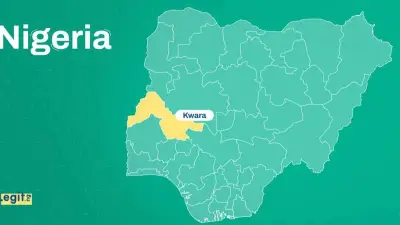
Google has issued an urgent security alert directed at Android users across Nigeria, warning about a dangerous wave of malicious applications circulating online. The technology giant specifically highlighted fake VPN services that secretly contain information-stealing malware.
How These Dangerous Apps Trick Nigerian Users
Cybercriminals are specifically targeting Android users in Nigeria through carefully disguised applications that promise free VPN services, privacy protection, or access to restricted content. These apps appear legitimate with professional-looking interfaces and attractive names, but they contain sophisticated malware designed to compromise your device's security.
These harmful applications typically spread through third-party websites, pop-up advertisements, fake security alerts, and suspicious social media links. Many Nigerian users encounter them through advertisements claiming their phone is at risk or offering free protection services.
The Real Dangers Hidden in Fake Apps
Google's security team has identified several serious threats embedded within these fake applications:
- Information stealers that collect passwords, banking details, private messages, photos, and contact lists
- Banking trojans specifically designed to attack financial applications and intercept OTP codes
- Remote Access Trojans (RATs) that give hackers complete control over your device
- Ransomware that can lock your phone and demand payment
Once installed, these applications operate silently in the background, collecting sensitive information without the user's knowledge. This means someone could be monitoring your phone activities in real-time while you continue using your device normally.
Protecting Your Android Device in Nigeria
Google has provided clear safety recommendations for Nigerian Android users:
Always download applications from trusted developers through the official Google Play Store. Verify the developer name, check user reviews, and look for the number of downloads before installing any app.
Avoid downloading APK files from unknown sources, as this is the primary distribution method for these malicious applications. Be particularly cautious of applications recommended through pop-up ads or suspicious notifications.
Use Google's security features including Play Protect and look for the special VPN badge that identifies applications that have passed Google's security checks. Regularly update your phone's operating system to ensure you have the latest security patches.
If you suspect you've installed a harmful application, immediately uninstall it, run a full Play Protect scan, change all your important passwords, and monitor your accounts for unusual activity.
This warning comes at a time when cybercriminal activity is increasing globally, with Android users being frequent targets due to the platform's flexibility for application downloads. Nigerian users should exercise extreme caution when encountering applications that promise too much or seem suspicious.